Scanning Negatives and Slides.
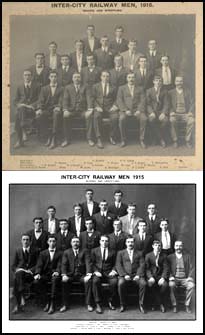
You might imagine the answer is that the prints have been damaged or faded. To some degree this is true. However consider the following additional benefits to digitise your negatives and slides.
- If you have looked after your prints and you only require web acceptable images or small print sizes, it will save you time and money to merely scan your existing photos or negatives/ slides on a flatbed scanner.
- Chances are they are packed away in boxes where they are not easy to enjoy and, slides particularly, may be affected by fungus spotting.
- The images may be gradually deteriorating with each year that passes.
- Scanning and enhancement bring your photos to life with colour correction, scratch removal and restoration and the digital image should last you over 100 years.
- Create a more interactive experience which will make your photos a pleasure to share with friends and family all over the world via email, Facebook, Twitter and other photo sharing sites.
- View your photos on your TV with DVD or HD Blu-ray Photo Slideshows and multi-media presentations.
- Once your images are digitised you can design photo books and order prints online. Ordering prints and enlargements from digital images is much cheaper than those from slides, negatives and prints.
Equipment you will need: If you have a few old negatives or slides you want to convert to digital format on your computer, then probably your best option would be to have a scanning specialist scan them and save them to disk.
However, if you have a larger number of slides or negatives, or you are still using film cameras, you may prefer to purchase your own negative / slide scanner.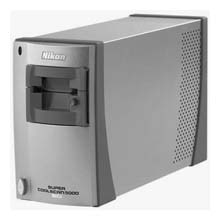
Because many photographers have now moved to digital, you are likely to find some excellent high-quality yet inexpensive second hand equipment available.
It is also possible to scan negatives using a flat-bed scanner, but the results will not be as good as scans from a proper slide/film scanner.
The advantage of a dedicated film scanner is that you can get much higher-quality images than with flatbed slide adapters. The downside is they are more expensive and you will still need a separate flatbed scanner for photo prints and other documents.
Flat-bed scanners are however excellent for scanning photos if you do not have the original negatives. Most recent flatbed scanners have the ability to scan negatives and slides as well as prints. However, be aware that some scanners built into multifunction printers do not have the ability to scan slides and negatives.
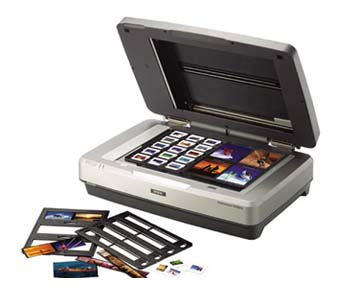
If you have large quantities of slides or negatives to scan look for a feeder tray for loading multiple slides or negatives at a time and scanning resolutions in the range of 4000dpi upwards. Less than 2000dpi scanning is not suitable for good quality negative and slide scanning but will give you the equivalent of a 6-megapixel photo, which is good enough for standard 15x10cm (6x4in) print sizes.
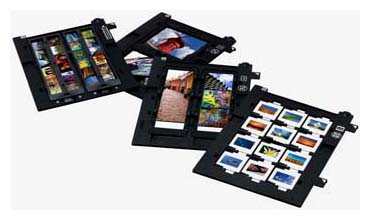
There is a very good reason to want high resolution images. It lets you recompose and crop your photos while maintaining sufficient image quality. If you scan your photos at a relatively low resolution and then crop your photo, you might end up with too few pixels to make a quality print.
Storage space is extremely cheap these days. You can get a terabyte hard drive for about $100, which, in many circumstances, will hold more photos than you can ever expect to scan in your entire life.
You will find a wealth of scanner reviews on the internet to guide you in choice of scanner purchase. Hopefully the above overview of the basics will help you in making this decision. If you have particular questions in relation to a purchase or your scanner operation, please contact me.

Images from recent Community Group Photo Workshop.
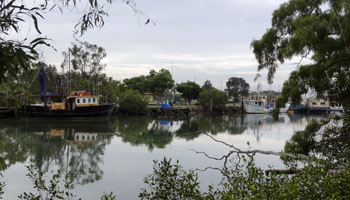
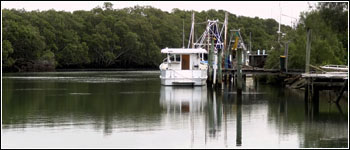
Brisbane, Boondall Wetlands by David Collings. Two very tranquil images of boats at mooring in Cabbage Tree Creek.
Will you be joining a group for a rewarding photography workshop and experience next month?
Everyone can be involved in our community workshops – irrespective of your global location.Please see details on my Workshop webpage
Enjoy your photography.